
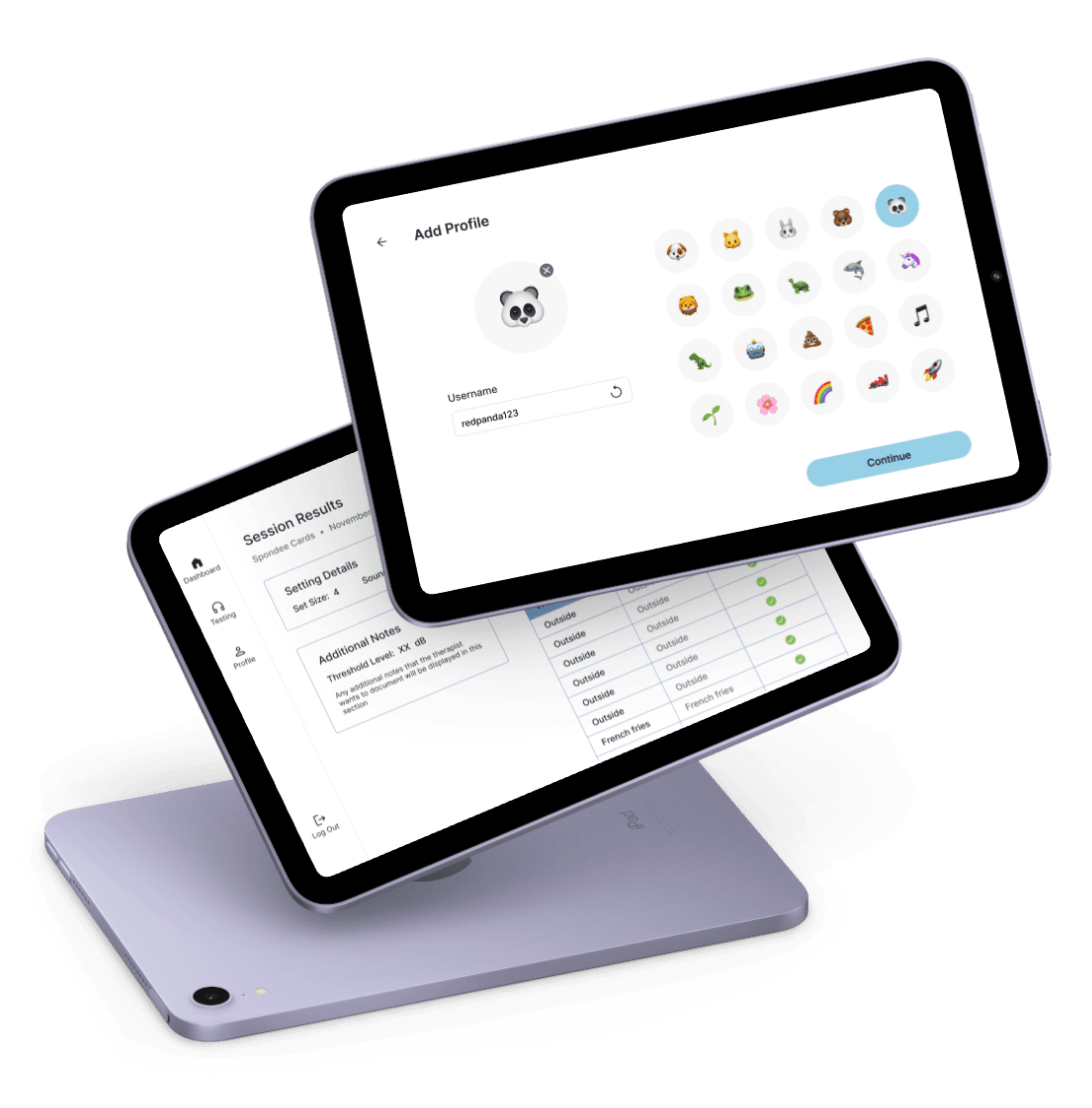
Facilitating engagement through playful design that keeps children motivated during therapy.
ROLE
Product Designer
TEAM
1 Product Manager
1 Product Designer
10 Developers
TIMELINE
9 weeks
Oct - Dec 2024
IMPACT
Designed a mobile app from 0 → 1
OVERVIEW
Texas Hearing Institute is a comprehensive pediatric hearing loss organization
As part of their offerings, Texas Hearing Institute (THI) provides tools and therapy to improve speech perception and auditory awareness for children with hearing loss. However, current therapy tasks are physical, repetitive, and boring.
As the sole designer on a RiceApps team, I led the design of a mobile application that transforms THI’s therapy tests into a digital platform, collaborating closely with the Product Manager and developers. Our goal was to design an experience that makes traditional therapy tasks more rewarding and interactive, helping children stay engaged while reducing the cognitive load on clinicians.
THE PROBLEM
Children have limited attention span
During initial meetings and an on-site visit with two clinicians, Jennifer and Peyton, we learned that Texas Hearing Institute lacks digital tools to streamline therapy sessions or offer meaningful positive reinforcement to children. They currently conduct testing with paper-based activities, which have become less effective over time.
RESEARCH
Physical testing methods are a bottleneck to engagement
After surveying 5 therapists and interviewing 2 speech audiologists at the Texas Hearing Institute, I found that clinicians are most concerned about the lack of interactivity in current testing methods.
Children often lose interest or focus during therapy sessions
“The nature of this type of therapy task is pretty boring… It is very repetitive and children often lose interest.”
There is not enough feedback to children to keep them engaged
“Younger children can have short attention span! Keeping the child engaged in activities is important!”
The current tool is outdated and thus, limits progress
“As the media and technology, grow over time, our standard picture book and vocabulary words become more outdated.”
Educational platforms combine learning with entertainment
To explore ways to improve engagement, I examined how apps use reward systems, such as visual feedback and animations, to motivate users and reinforce positive behavior.
PBS Kids
Visual feedback and encouragement
Sesame Street Games
Lively animations upon task completion
How might we create a sense of accomplishment for children during repetitive therapy tasks?
ITERATIONS
Enhancing visual appeal and simplifying the workflow
Throughout the design process, I continuously iterated on the interface to balance playful engagement with functional clarity.
Personalized profile
Ensuring the emojis are easily recognizable and selectable for children
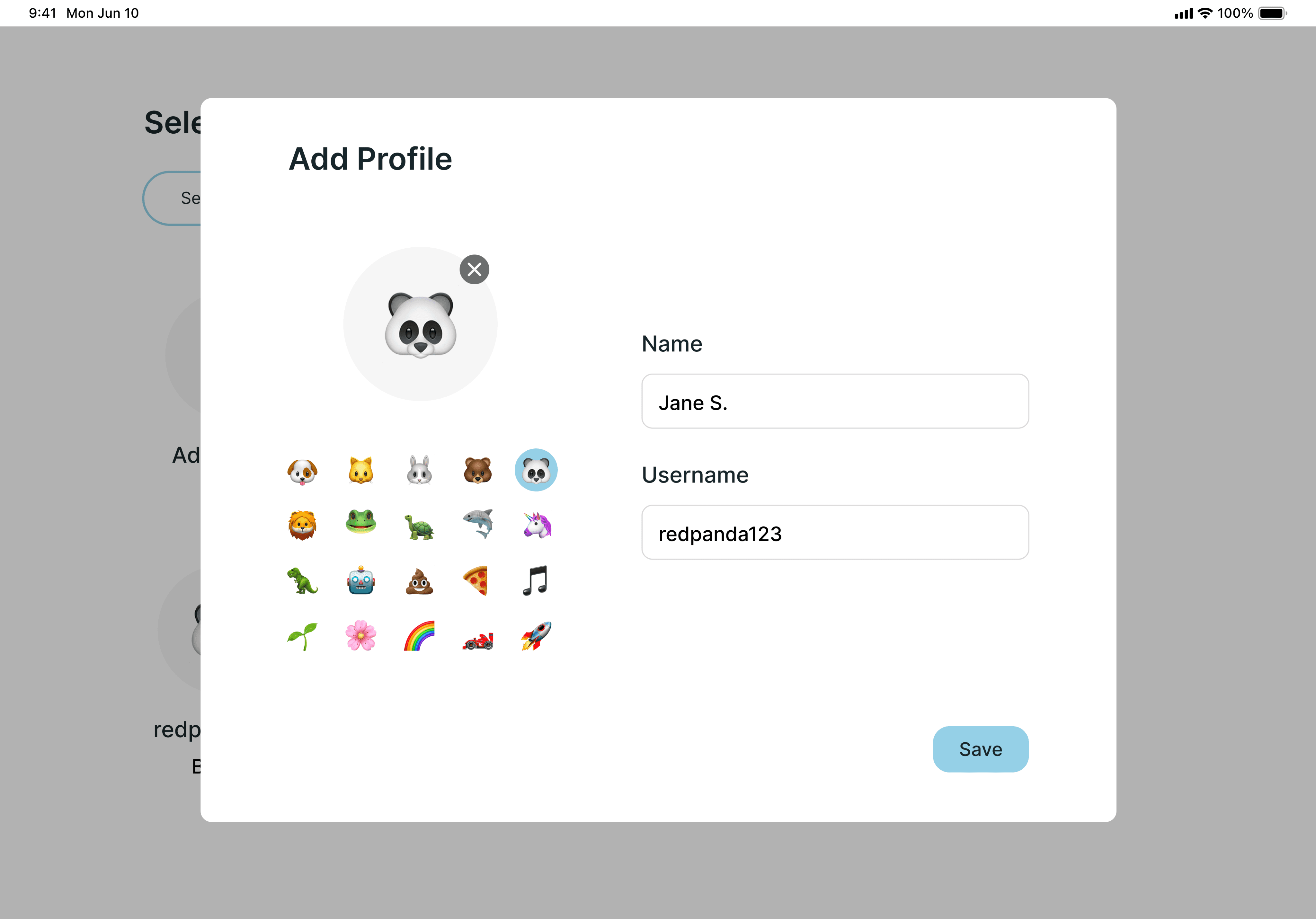
Modal
Fun, interactive way for children to personalize their own profiles
May be difficult to select an emoji due to a lack of spacing
Does not follow HIPAA guidelines
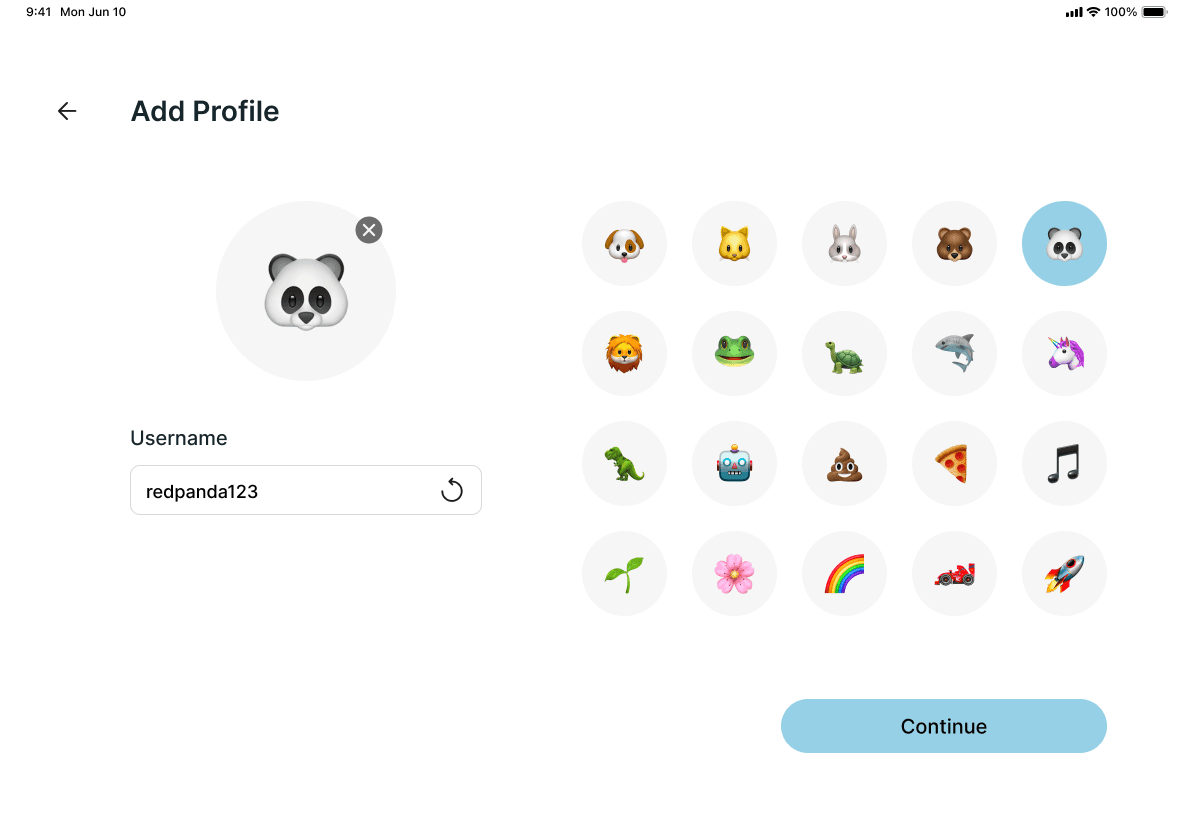
Expanded page
Fun, interactive way for children to personalize their own profiles
Clear indication that the emojis can be selected
Follows HIPAA guidelines with the randomly generated usernames
Visual feedback with every response
Positive reinforcement through visual cues for immediate and meaningful encouragement

Simple animation
Emoji animation that reflects the emoji of child’s choice
Limited use of positive reinforcement

Animation paired with positive affirmation
Emoji animation that reflects the emoji of child’s choice
Positive reinforcement with verbal phrases
Intuitive access to past sessions
Quick and easy retrieval of specific sessions
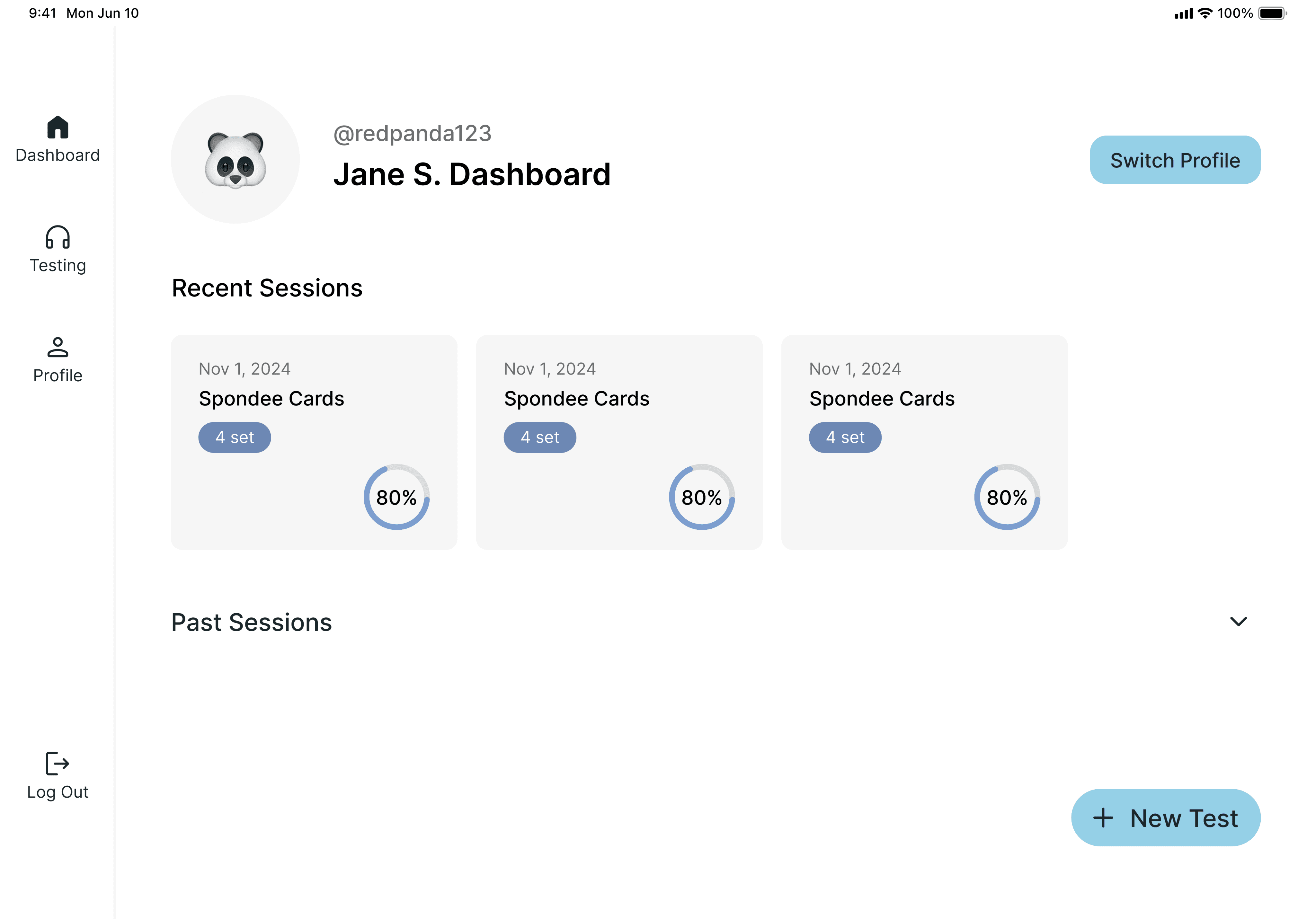
Accordion view
Allows the user to view all past sessions
May become too large overtime
Unable to find specific sessions based on the session characteristics
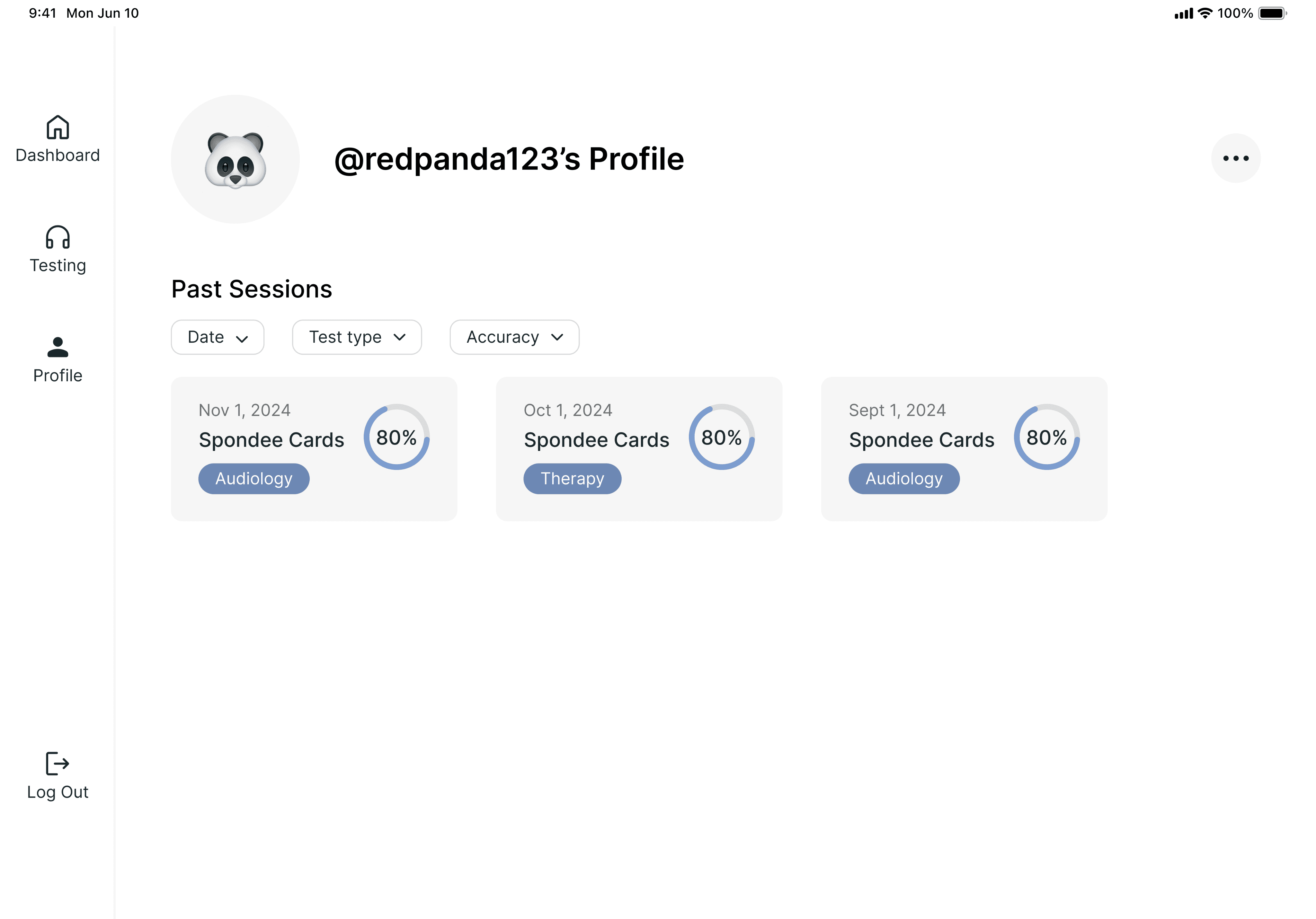
Separate page with filter
Allows the user to view all past sessions
Easily accessible but not immediately visible in the new location
Can find relevant sessions with ease using the filters
DESIGN SYSTEM
Playful, approachable, and consistent experience
Typography

Primary Color
Text, important action items, accent, and section backgrounds

Secondary Color
Secondary text, text boxes, and accent

Buttons
Primary Button


Secondary Button
FINAL PRODUCT
Children can add personal touch to their profile
Select an emoji avatar and receive a fun, randomly generated username to make the profile feel more personal and playful.
Children interact with lively animations after each question
Pop-up animations after each response to boost engagement and provide positive feedback throughout the therapy session.
Clinicians input session notes stored in-app
Easily document notes for each session, viewable alongside relevant results within the session details.
Clinicians can retrieve any past session
Looking for any specific session results from the past? Use filters to narrow results by date, test type, and accuracy.
REFLECTION
Be flexible with your workflow
Working on a fast-paced timeline requires adapting the design process to the needs of the broader team
Learn to navigate constraints in user research
Be creative about ways to stay user-centered, even when the end users themselves are not easily accessible
Understand your users beyond the surface
Designing for children requires a deeper level of research to understand what keeps them engaged and motivated