Paycom
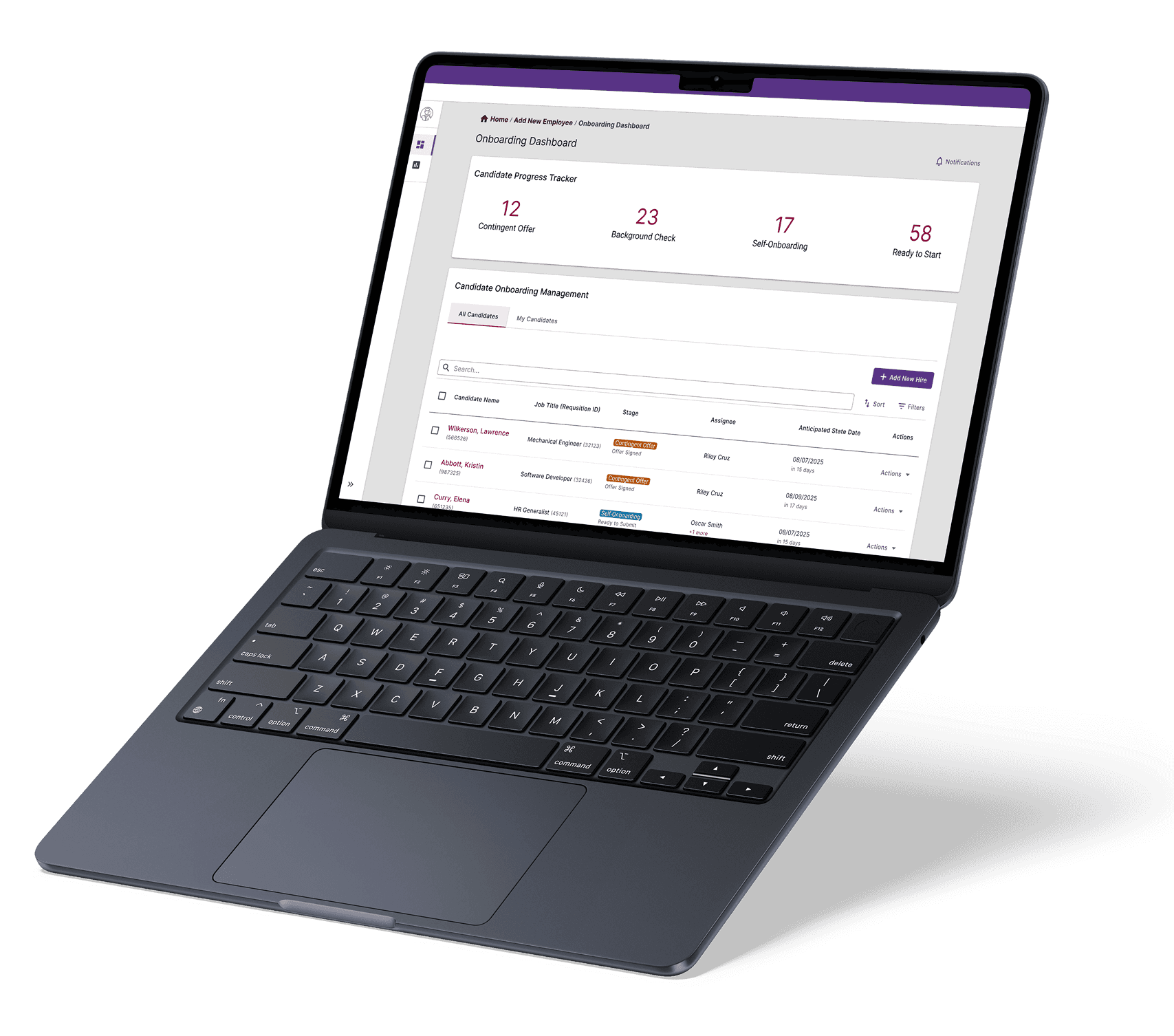
Enhancing the onboarding experience with a centralized dashboard that simplifies candidate management.
ROLE
Product Design Intern
TEAM
3 Product Managers
1 Sr Product Designer
4 Product Designers
TIMELINE
12 weeks
Summer 2025
IMPACT
90% faster candidate tracking & management
OVERVIEW
Paycom’s onboarding tools enable onboarding specialists to guide new hires seamlessly from contingent offer to their first day
To help specialists efficiently manage these critical steps, Paycom needed to centralize its fragmented toolset into a single platform.
As a Product Design Intern, I led the research and design of a centralized onboarding dashboard to reimagine the onboarding experience. Our goal was to break down silos across various pre-employment platforms to increase transparency into candidate progress, reducing reliance on third-party tools to manually track and manage candidates.
THE PROBLEM
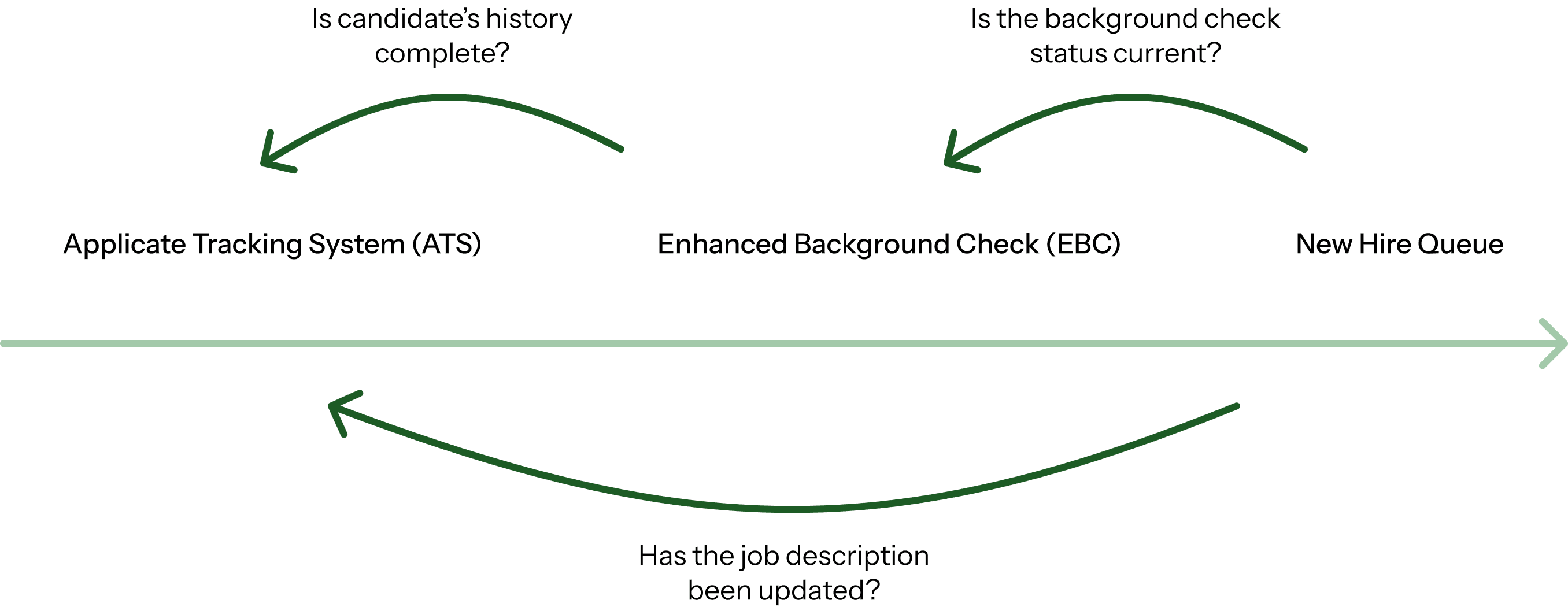
Existing pre-employment tools are managed on separate platforms
To track a single candidate, specialists must jump between different systems, which leads to lost context and complicated data management for the overall onboarding journey.
RESEARCH
Manual tracking limits visibility
After building context with Product Managers and understanding the broader pre-existing systems, our team reviewed 40+ pieces of user feedback to identify key pain points in Paycom’s current onboarding workflow.
Complicated Workflow
The current process requires users to manually navigate to the appropriate pages while lacking fundamental functionalities for ease of use.
Lack of Clarity
The inconsistent experience across pre-employment modules creates confusion and limits users’ ability to fully utilize the software.
Data Inconsistency
Applicant records are scattered across modules, creating inconsistencies and making them difficult to locate, which further hinders transparency.
Follow-up conversations with 10 internal users revealed further frustrations users face daily.
“[I spend] at least an hour per candidate, and 70% of my time in my ledger. It’s all a very manual process.”
— Talent Acquisition Operations Specialist
“It’s hard to keep track of where my candidates are at, and where they get stuck. I have to to sift through so much information to see where they are the process.”
— Collegiate Recruiter II
How might we streamline candidate management during onboarding to give specialists full visibility into candidate progress across all stages?
IDEATION
Designing a comprehensive candidate management workflow
I structured the dashboard around two essential operational needs: broad visibility across all onboarding cohorts and immediate access to individual candidates.
Macro-level

Micro-level

Defining high-impact, actionable metrics
To provide leadership and specialists with quick operational snapshots, I identified core metrics and mapped them to actionable data visualizations.

ITERATIONS AFTER TESTING
Concise view of candidate information
Simplifying dense onboarding journey
Before

Concise view of all relevant candidate information
Action button is not positioned where users expect to take action
Expanded view clutters the drawer as candidate progress through all stages
After
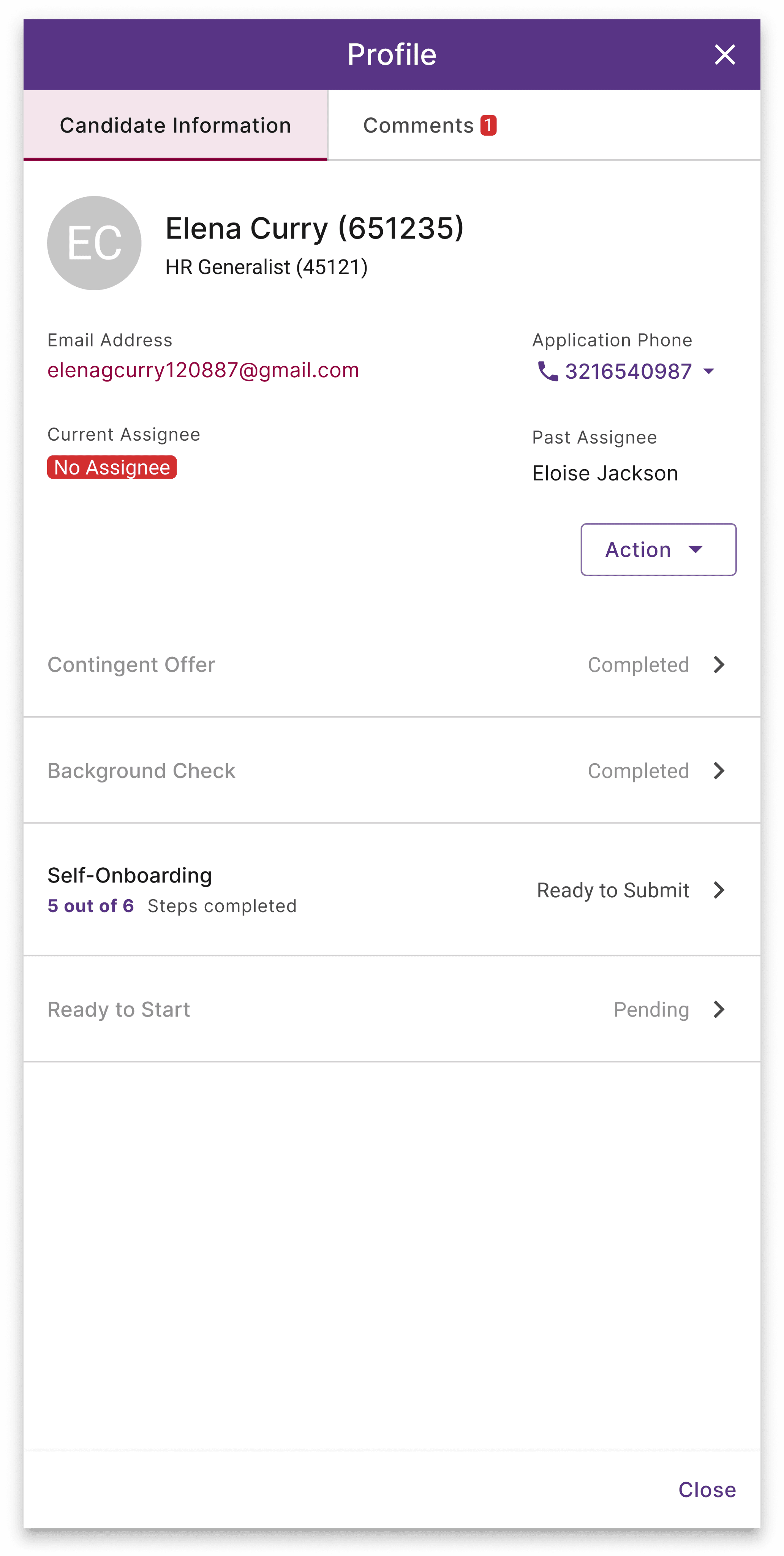
Concise view of all relevant candidate information
Action button is followed by candidate information
Progressive view that keeps the drawer organized
Convenient internal communication
Differentiating “comments” experience from the existing “chatbot” experience
Before

Feels too much like a chat
No way to search or sort for a specific comment
After

Aligns with user expectation for a comments section
Search bar and sort function
Actionable high-level insights
Providing a clear picture with effective visualization
Before
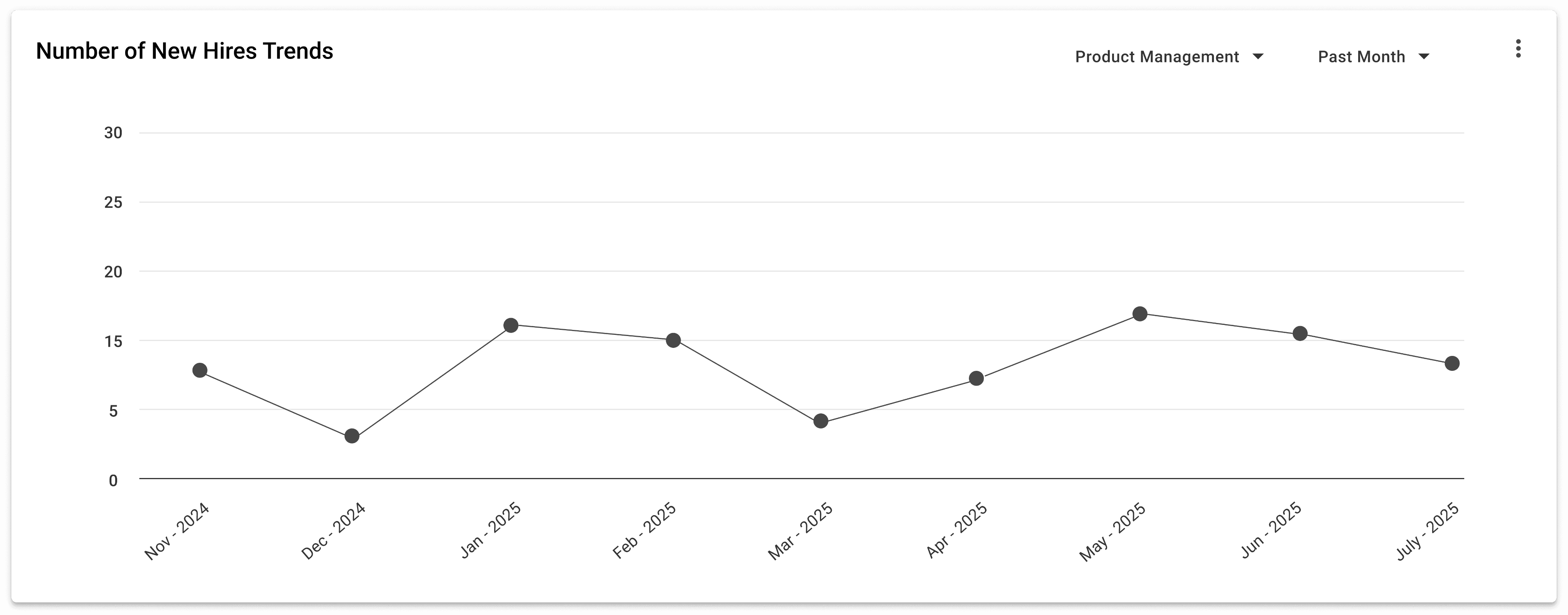
A trend does not provide actionable insight
After
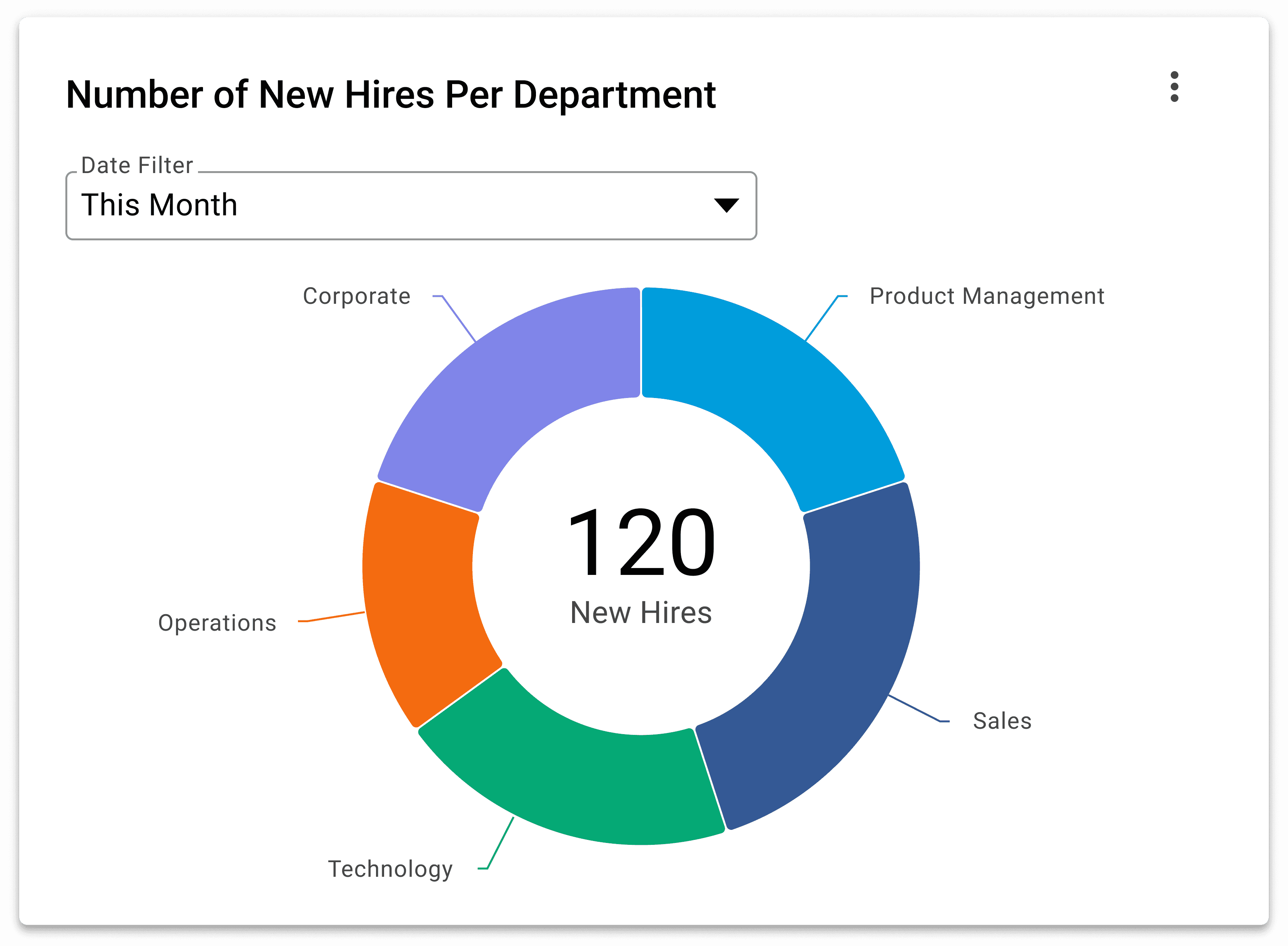
Total new hire and departmental overview
Due to the NDA policy, the exact high-fidelity designs cannot be shared; the designs have been modified to comply with these guidelines.
FINAL PRODUCT
Due to the NDA policy, the exact high-fidelity designs cannot be shared; the designs have been modified to comply with these guidelines.
IMPACT
Users found the dashboard intuitive and useful to their daily workflow
In the final round of user testing, we gathered insights on the dashboard’s effectiveness from the internal users we initially interviewed.
“For me, the value of the dashboard comes in providing context. This is super valuable because it provides a snapshot of where everyone sits.”
— Collegiate Recruiter II
“It’s a one-stop shop for us, instead of having so many other windows open. This will get us out of Excel ledger for sure.”
— Talent Acquisition Operations Specialist
“I think this dashboard would replace a lot of the data I have to manually translate that aren’t consistently set to where I can pull a report”
— Supervisor of Talent Acquisition
REFLECTION
Understand the existing products
Throughly investigate the broader product ecosystem to identify where the solution can be best integrated
Design is far from being a linear process
Don’t be afraid of revisiting prior design steps to validate new assumptions or conduct additional research
Advocate for your decisions
Be open to feedback but be sure to clearly communicate design decisions and project direction based on thoughtful and informed reasoning
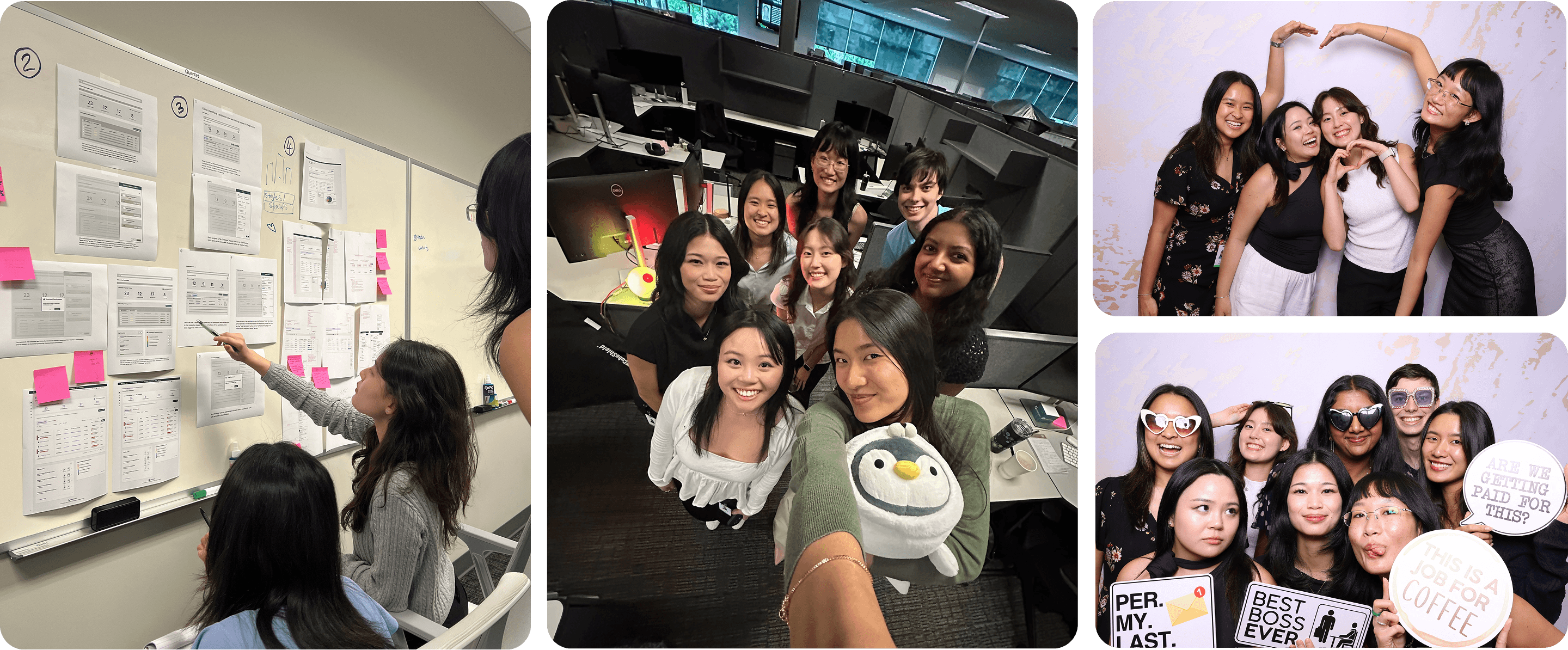
Shout out to my amazing team for all the discussions, workshops, and hard work that brought our vision to life 🦭💖
+ our manager KP, mentor Pedro, and the Product Design Intern cohort for a fun and memorable summer!